
Technical document translation in SDx: from PDF to usable engineering information
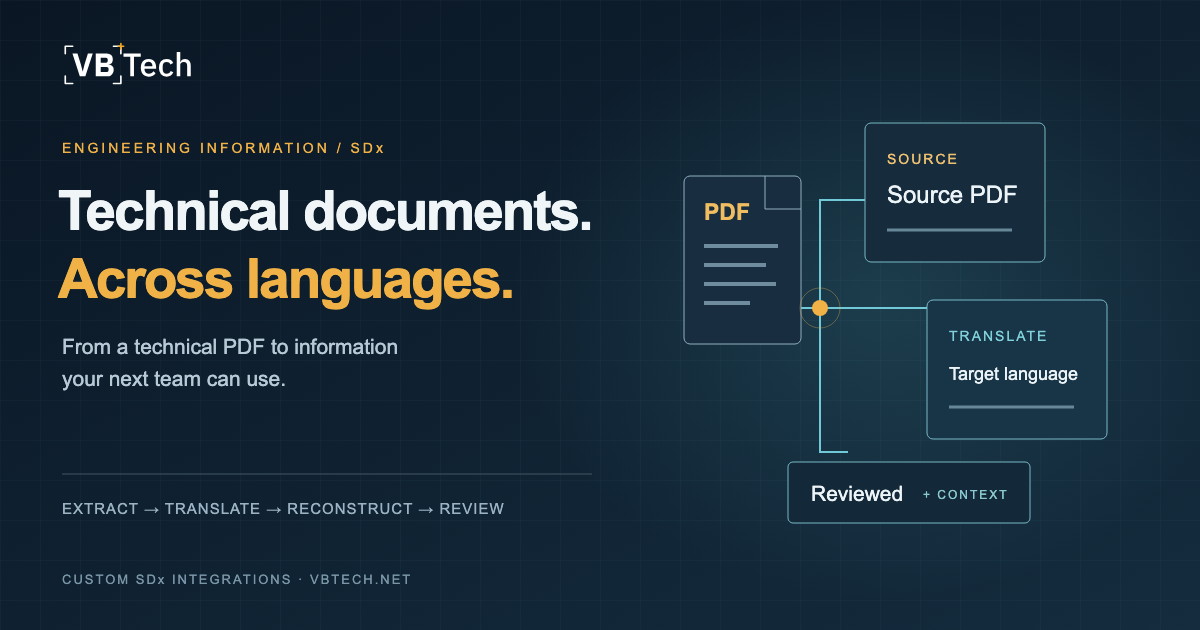
A technical PDF can be available in SDx and still be difficult for the next team to use. The document may be in another language, contain scanned pages, or mix equipment identifiers, tables and instructions that need to remain understandable after translation.
An SDx document translation workflow connects document selection, text extraction, translation, PDF reconstruction and review to the source document and its revision. The aim is to give engineering and operations teams a usable translated document with enough context to know what it relates to and how it should be used.
VBTech develops custom SDx applications for technical document translation in all languages. Each workflow is designed around the source and target languages your teams need, with document-processing software and interfaces for the people requesting, reviewing and using the output.
Who needs this workflow?
Engineering, procurement and construction contractors—EPCs—coordinate information across suppliers, engineering disciplines and construction teams. Industrial operators then need that information for handover and ongoing work. A translation workflow becomes useful where language differences repeatedly interrupt those exchanges.
| Team | The practical need |
|---|---|
| Document control | Keep translated output associated with the correct source, revision and review status. |
| Engineering teams | Understand technical content while checking terminology, values and equipment references against the original. |
| Construction and commissioning teams | Find the relevant instructions and distinguish reviewed information from output awaiting review. |
| Asset information and operations teams | Access multilingual documentation in the context of an asset and its information history. |
| IT and SDx administrators | Control application access, processing services, document handling and integration behaviour. |
For an EPC or operator working across the Gulf or internationally, suppliers and project teams may exchange documents in many different languages. The workflow can connect any source and target language required by the project. Representative documents help configure terminology, extraction and layout for the languages and document types your teams actually use.
+ Stay in the loop
New essays on AI, retrieval & engineering
Occasional, in-depth, no spam. Straight to your inbox via Substack.
Start with the document and the decision
Consider an illustrative workflow: an engineer selects a supplier equipment manual in SDx and requests a version in the working language of the project. Document control needs to identify the source revision. A reviewer needs to compare a table and its notes. A colleague at another site may need the same manual in a different language, linked to the same document context.
The useful outcome is more than translated sentences. The team needs to answer:
- Which source document and revision were used?
- Are headings, table references and instructions still readable?
- Have numbers, units and identifiers retained their meaning?
- Has a reviewer checked the output for its intended use?
- Where can the user retrieve the original and the translated version?
These questions define the application before the team chooses a translation model or designs a dashboard.
How the PDF translation workflow fits together
Select the source → extract text → translate with context → reconstruct the PDF → review → return to the document workflow.
Each stage has a different responsibility. Keeping those stages explicit helps users understand progress and helps the application recover when a step fails.
1. Select the document in its SDx context
SDx Extensibility provides a way to display an external application within the Web Client. The documented basic pattern uses an iframe and communication between the application and the Web Client. This gives a custom document interface a place within the existing user journey. Hexagon documents the basic extensibility pattern.
For a translation integration, the design establishes how the application identifies the selected document, obtains authorised access to its content and records the source revision. Entry points, available APIs and configuration are checked against the target SDx environment; a generic example is not a compatibility guarantee for every installation.
Reading a source file and attaching translated output are separate integration operations. Our integration work defines the destination document relationship, metadata and permissions for the return path, rather than treating a successful download as proof that the complete workflow is connected.
2. Extract text and retain its position
OCR—optical character recognition—turns text in page images into machine-readable content. Position information matters because a translated sentence needs to remain associated with the right heading, table or diagram.
Google Cloud Vision is one component used in our document-processing work. Its document text detection returns a hierarchy of page, block, paragraph and word information. That structure provides inputs for organising extracted content before translation and rendering. See Google's document OCR documentation.
Representative PDFs should include the difficult pages: scans, dense tables, small annotations and mixed-language sections. An unreadable source character can produce a plausible but incorrect translation. The workflow therefore needs a way to identify extraction problems and present the original for comparison.
3. Translate with document context
A technical term may appear in a heading, a table and several instructions. Translating isolated fragments can lose the relationship between them. Our contextual approach supplies document text to support consistent interpretation across the content being translated.
Context is useful, but it does not establish that every technical term is correct. The project should define the terminology that matters, the content that must remain unchanged, and who evaluates the result. If the team needs an approved glossary, that becomes a specific requirement in the solution design.
For every requested language direction, review representative output with the terminology and document families used by the team. This review establishes acceptance criteria for meaning and usability within an all-language service; it does not restrict the offer to a predefined list of language pairs.
4. Reconstruct a readable PDF
Translated text often occupies a different amount of space from the source. It can overlap an adjacent cell, obscure a diagram or separate a note from the instruction it qualifies. Font coverage, text expansion, writing systems and reading direction all affect the rendering requirements.
Our PDF work uses page rendering and positioned translated text, with browser-based PDF generation to handle the final layout. The objective is a readable document that preserves useful visual relationships; exact visual equivalence needs to be assessed on the source material.
Right-to-left languages, such as Arabic, may appear alongside left-to-right numbers, units and identifiers. Direction handling needs attention within the text as well as at page level. W3C guidance explains how directional isolation manages mixed-direction text.
Layout review should cover clipping, overlaps, missing characters, reading order and the connection between tables and their notes. A generated PDF is a processing result, not a substitute for those checks.
5. Make progress and failures understandable
Users need to know whether a document is queued, being processed, ready to review or requires attention. They should be able to find the original and the output without guessing whether an operation completed.
On the application side, separate stages and saved intermediate results help avoid restarting all work after a recoverable failure. Retry handling also needs to avoid producing duplicate results or attaching the same output twice. Workload, document size and processing duration determine how the job system is sized and tested.
6. Connect review and the return path
The destination matters as much as the translation. The design should specify whether output becomes an attachment, a related document or another agreed representation, and how language, source revision and review status are recorded.
The application should distinguish output awaiting review from information approved for its intended use. If the source changes, the translated version needs a defined treatment: retain it against the earlier revision, flag it for review, or request a new translation.
VBTech develops this application and integration logic around the APIs and document-management rules agreed with your platform team. The write-back behaviour and access rules form part of the acceptance checks for the target environment.
What to check before accepting the workflow
A representative document set makes evaluation concrete. Include the languages, scan quality, layouts and document families the team expects to use.
| Check | What the team should inspect |
|---|---|
| Meaning and terminology | Instructions retain their intended meaning; critical terms receive domain review. |
| Values and references | Numbers, units, identifiers and cross-references remain interpretable and associated with the right content. |
| Layout | No missing glyphs, clipped text, obscured diagrams or ambiguous table relationships. |
| Traceability | Output identifies the source revision, language direction and applicable review status. |
| Permissions | Authorised roles can request and retrieve output; access boundaries also apply to stored results. |
| Recovery | A failed job can be diagnosed and recovered without duplicate attachments or misleading completion states. |
| Workload | Agreed document sizes and simultaneous requests are tested, with understandable behaviour outside those limits. |
Measure processing time and reviewer effort separately. A quicker machine translation is only part of the benefit if the output takes longer to verify. Any improvement claim should come from the team's own before-and-after evaluation.
Decide where document processing happens
An interface embedded in SDx does not determine where OCR, translation, storage or PDF generation run. Those are architecture decisions to make with IT and the document owners.
The scope should identify approved processing services, storage locations, access controls, retention, deletion and the information captured in logs. Representative documents should only enter a processing service after the team has agreed that data path. These decisions also affect deployment, support and operating responsibilities.
Where this fits in an industrial digital twin
A plant model helps a user locate equipment. A linked document explains how that equipment is specified, installed or maintained. A translation workflow can make that information accessible to another team while retaining its relationship to the asset.
That is a practical contribution to an industrial digital twin: usable information in the context of the asset. Translation alone does not establish live synchronisation. The model, documents, revision relationships and update rules still need a defined connection.
The same custom application can combine a model view, document access and project dashboards when that helps the user complete a task. Our SDx integration and digital twin services describe those complementary capabilities.
Building the workflow with VBTech
We start with a specific document journey and a representative sample set. We then define the application interface, language directions, processing stages, SDx read and return paths, and the evidence needed for acceptance.
Reusable document-processing and SDx application components provide a starting point. Short feedback cycles let document controllers and engineers review usable output early. The architecture can then accommodate additional document families, languages, review roles or related asset views as requirements expand.
For an initial discussion, describe the documents, languages, intended users and the step that currently interrupts their work. A generic workflow description is enough to begin; sample handling can be agreed separately.
Discuss your SDx document workflow with VBTech.
By Florian Ronzi, Founder & CTO at VBTech, Dubai.